PokerHero
Preflop decision trainer with hand history import
Content
- What Is PokerHero?
- Features and Benefits of PokerHero
- Training in Realistic Conditions
- Custom Opponent Types and Charts
- Leak Finder: Analyze Your Actual Gameplay
- Statistics and Progress Tracking
- Plans
- Additional Information
What Is PokerHero?
PokerHero is an online training platform that helps turn preflop charts into automatic decisions at the poker table. Instead of reading tables and memorizing ranges, you practice hand after hand against opponents in an interface that looks and feels like a real poker room. The application instantly highlights mistakes, tracks your statistics, and identifies gaps in your game.
What sets PokerHero apart from traditional chart trainers is its ability to work with your actual gameplay. Upload your hand histories, and the platform will compare your decisions against selected charts, identify deviations, and turn them into personalized training drills.
Spin & Go, Cash, and MTT formats are supported.
Features and Benefits of PokerHero
Training in Realistic Conditions
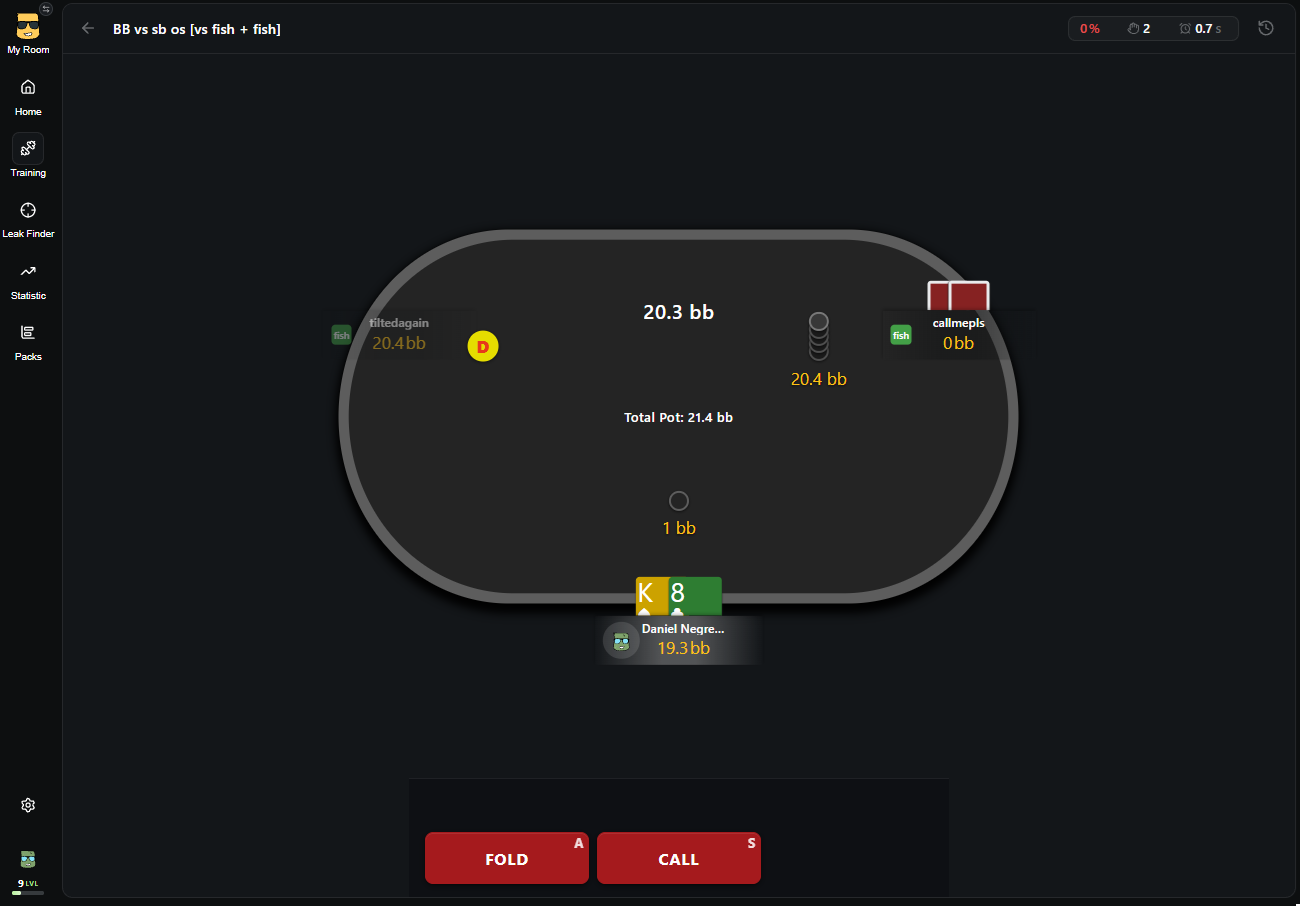
Poker Room-Style Interface. Train at a fully simulated poker table with positions, stacks, pot sizes, and action buttons instead of an abstract hand grid. This makes it easier to transfer your skills to real games, as the training environment closely resembles what you see at the tables.
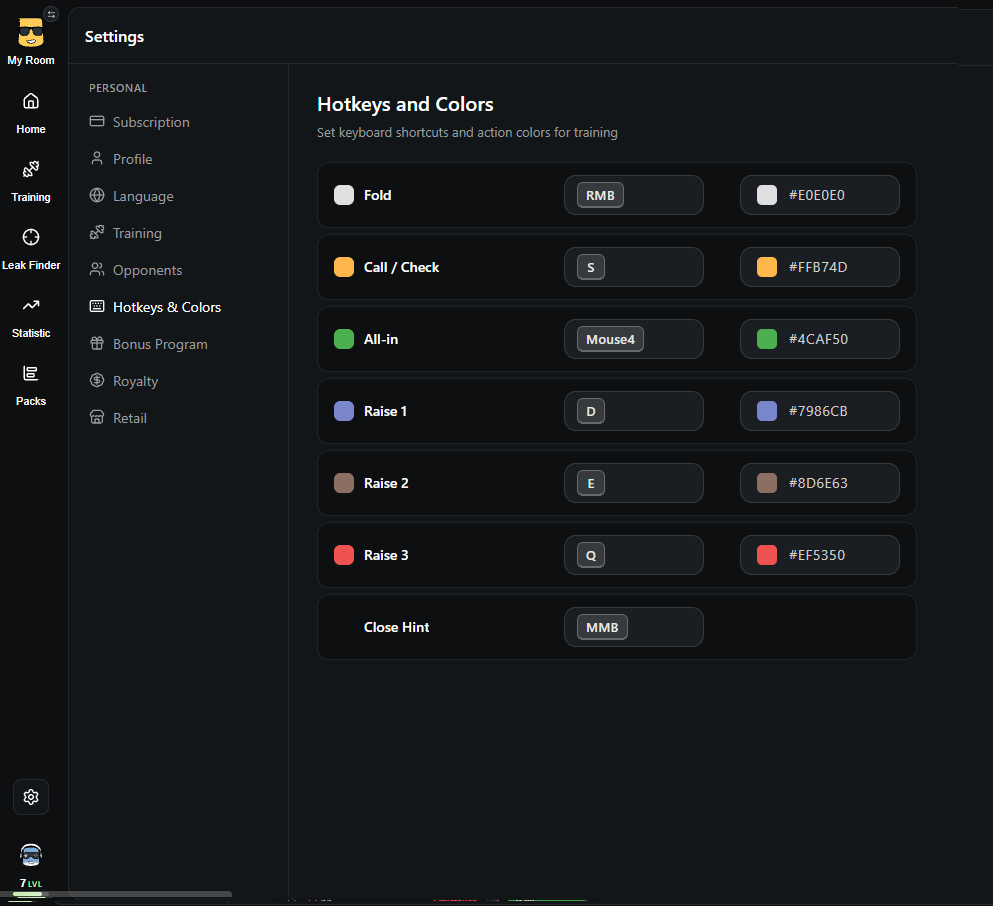
Custom Hotkeys. Assign your own keys for fold, call/check, all-in, and three raise sizes. Use the same hotkey layout as your poker room to build muscle memory for quick decisions. Action button colors are also customizable.
Decision Timer. Set a time limit of 7, 5, 3, or 2 seconds per decision. This is particularly useful for Spin & Go and turbo formats, where decisions must be made quickly. Your average decision time is recorded in the statistics.
Customizable Table. Choose the felt and border colors, enable effective stack displays and opponent highlighting, and decide whether to show session statistics and the correct chart after a mistake.
Randomizer for Mixed Strategies. If a chart assigns different frequencies to an action, such as 50% all-in and 50% fold, a random number from 1 to 100 appears for each hand to determine the correct action. This helps you practice mixed strategies and maintain the required frequencies at the table.
Custom Opponent Types and Charts
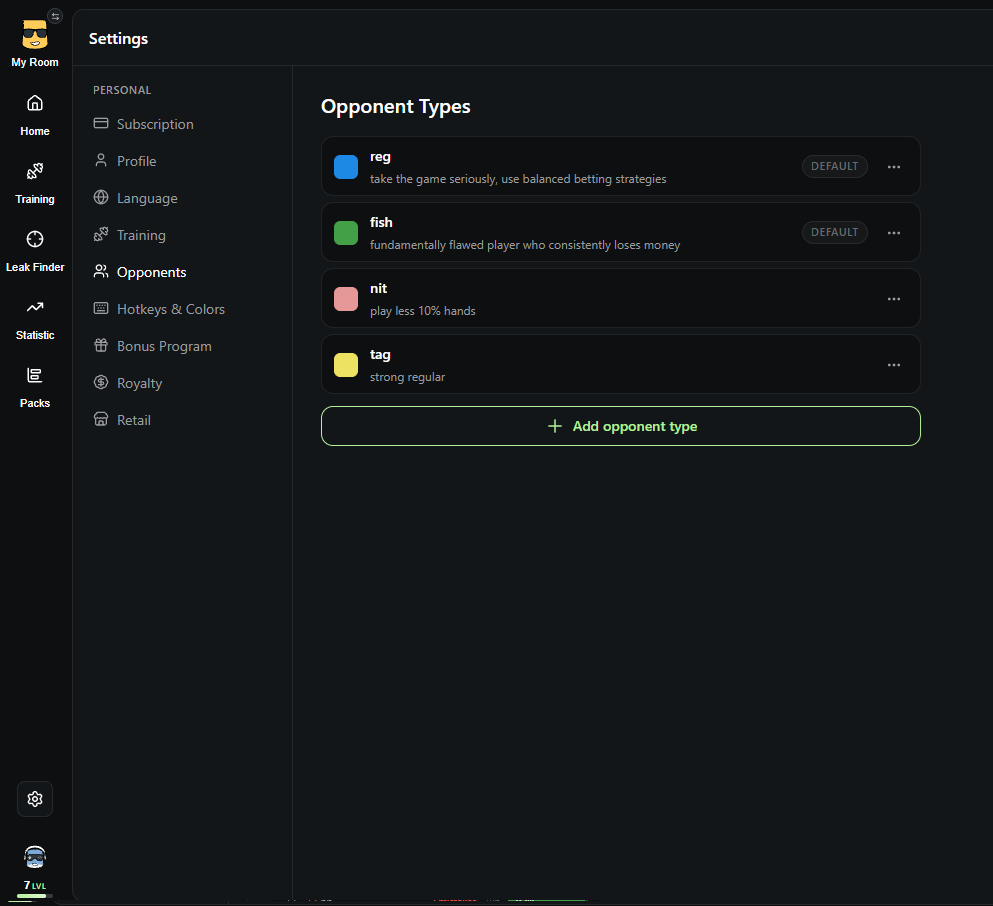
Custom Opponent Profiles. Define the types of opponents you want to practice against: fish, regular, maniac, nit, or any custom category with its own name and color. The opponent type is displayed directly at the training table.
Charts for Different Opponents. Create separate charts for the same spot against regulars and recreational players to learn when to deviate from your baseline strategy and make exploitative adjustments.
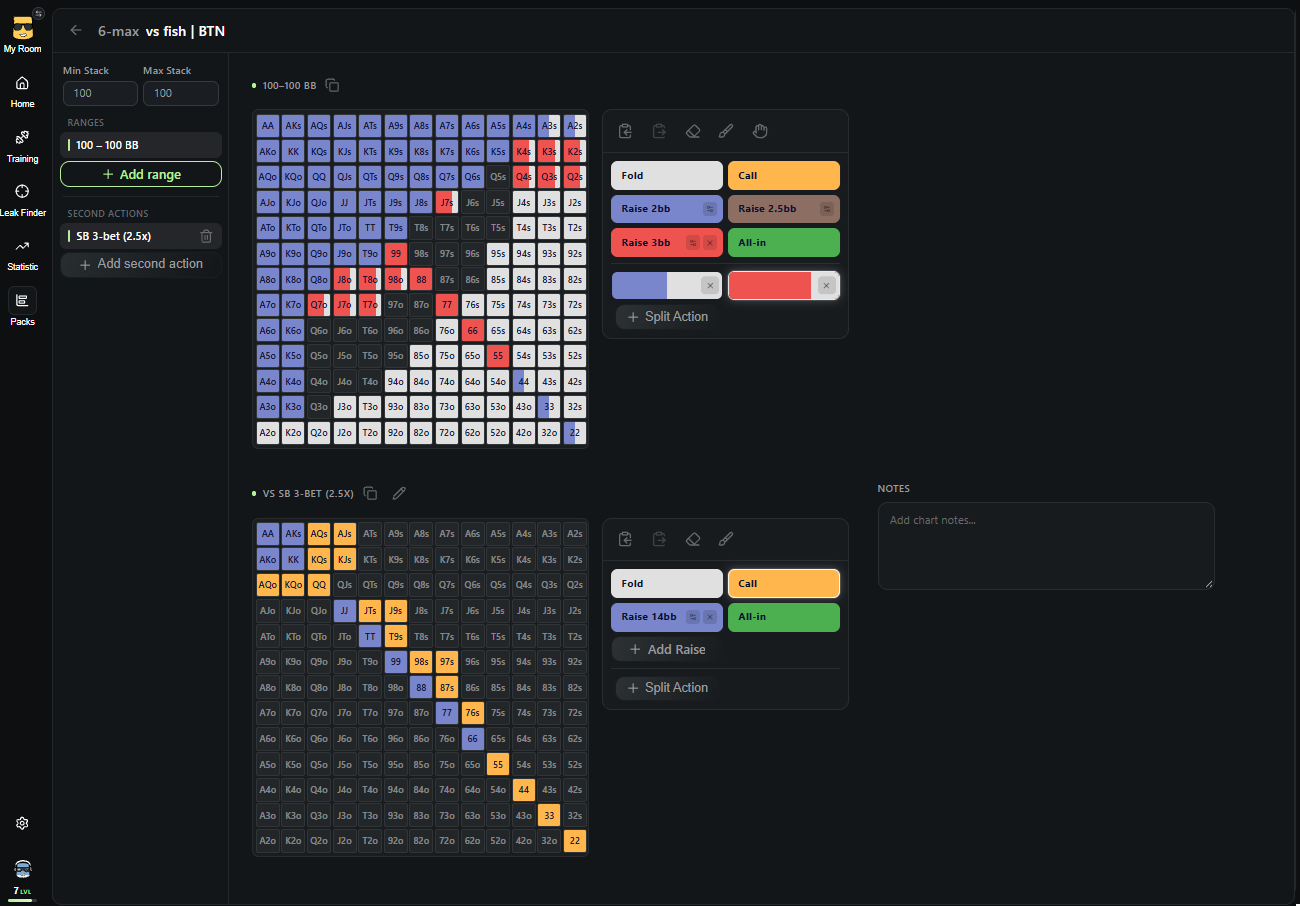
Flexible Chart Editor. The editor includes:
- Ranges for different stack depths, antes, and raise sizes;
- Mixed actions (split actions) with two, three, or four possible actions for a single hand;
- Secondary actions, including responses to 3-bets, 4-bets, and isolation raises, with adjustable frequencies for how often these situations appear in training;
- Range copying and pasting, plus notes for individual charts;
- A ready-made spot library for HU, 3-max, 6-max, and 8-max.
Hand Filters. Exclude obvious hands and focus on marginal decisions where mistakes can be especially costly.
Leak Finder: Analyze Your Actual Gameplay
Hand History Import. Select a folder containing your hand histories, and Leak Finder will process them automatically. Spin & Go hand histories are supported from Winamax, PokerStars, GGPoker, and RedStar.
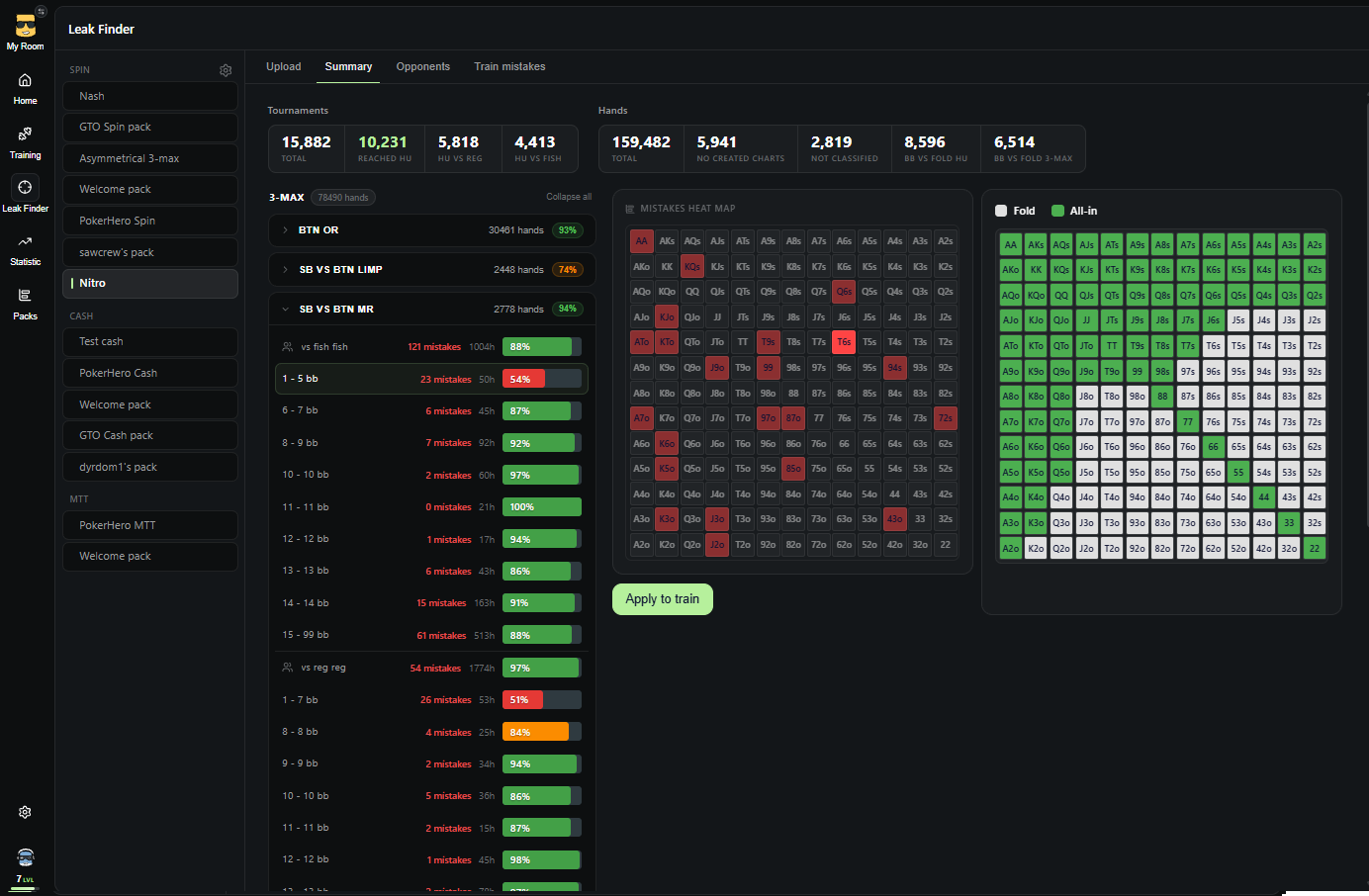
Chart Deviation Analysis. Each decision is compared against your selected chart pack. The summary shows how many hands and tournaments were analyzed, along with the spots and opponent types where you make the most mistakes.
Opponent Classification. Assign player types to opponents from your imported hands, individually by nickname or automatically to recreational players with a sufficient hand sample. Your decisions are then evaluated against the appropriate charts, separately for recreational players and regulars.
Train Your Own Mistakes. Identified deviations become personalized training sessions. Replay the exact situations where you made mistakes at real tables, filtering them by spot, stack depth, opponent type, or even a specific player.
Statistics and Progress Tracking
Detailed Statistics. Track accuracy, hands played, and mistakes for each pack and chart. A visual error heatmap highlights the specific starting hands you tend to play incorrectly.
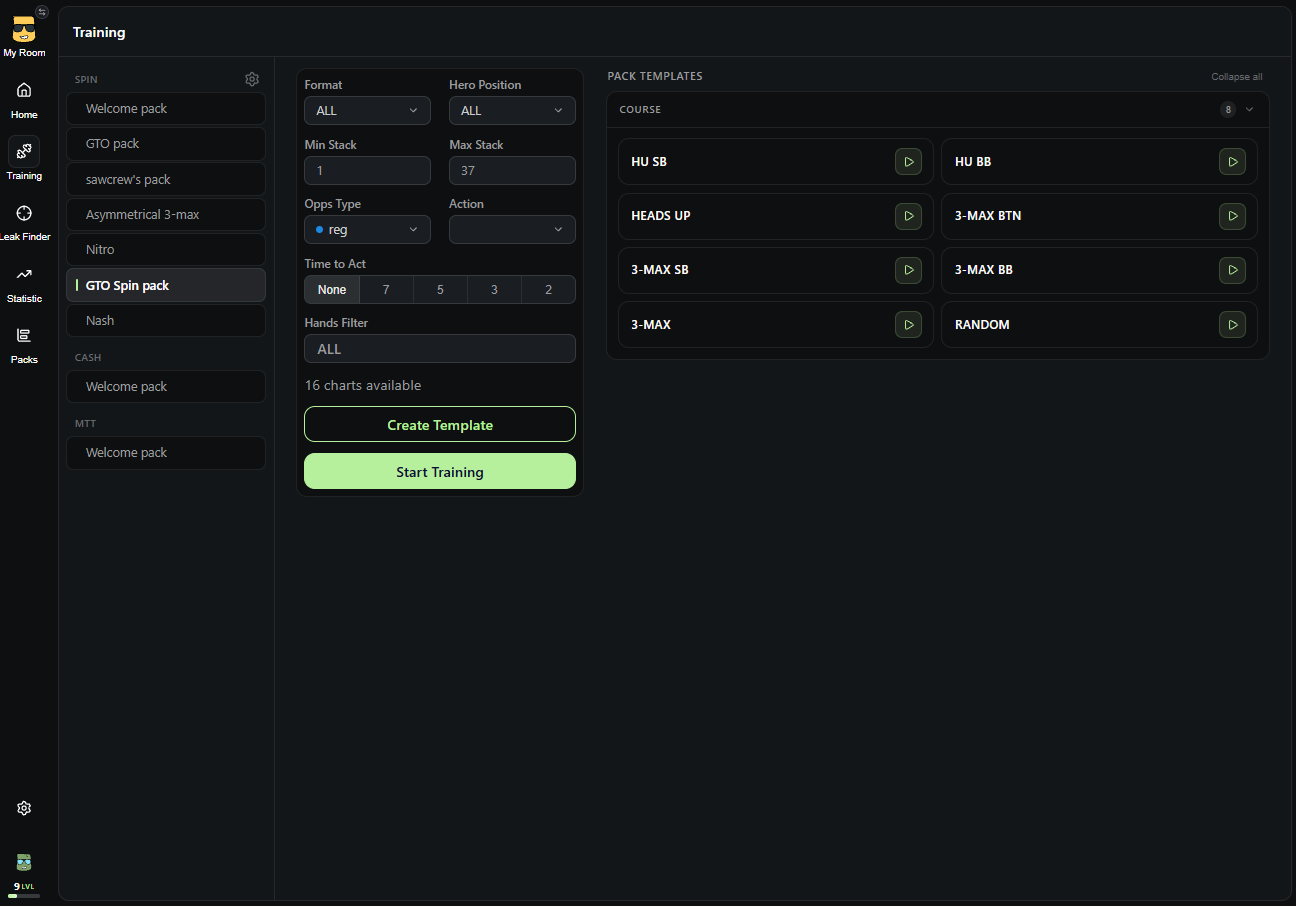
Training Templates and Goals. Save your preferred settings, including format, position, stack depth, opponent type, timer, and hand filters, as reusable templates. Set targets for hand volume and accuracy, and track your personal best results.
Session Replay. Review every hand after a training session, including your decision, the correct action, and the time you took to respond.
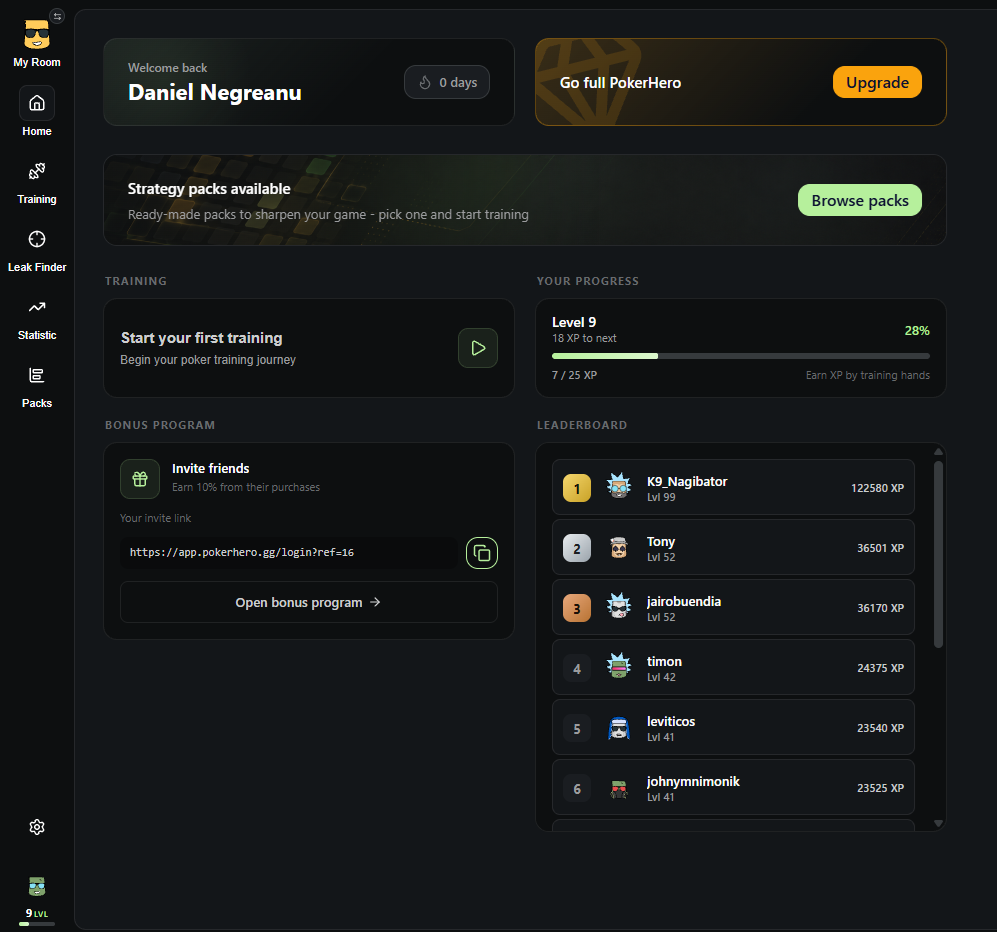
Daily Motivation. Earn experience points (XP), maintain daily streaks, progress through levels, compete on the leaderboard, and customize your avatar. Session results can also be shared as a single image.
Ready-Made Packs from Experienced Players
In addition to creating your own charts, you can use ready-made strategy packs:
- GTO Pack – GTO fundamentals for Spin & Go (HU and 3-max) across all stack depths;
- Nash – Nash equilibrium push/fold ranges for short stacks;
- Asymmetrical 3-max by coach Tema2010 – 3-max strategy for significantly uneven stack sizes;
- Nitro Pack by high-stakes regular LuckyPlayer7 – Spin & Go Flash strategy for stacks up to 15bb, with 1bb increments and adjustments against recreational players on Winamax;
- Full GTO Pack – a complete preflop decision tree for 100bb 6-max cash games;
- Dyrdom1 Pack – 6-max cash game strategies up to NL500 by dyrdom1, including separate charts against regulars and recreational players, plus ready-made hand filters.
Hubs for Poker Schools and Teams
Poker schools and staking groups can create their own dedicated spaces with role management (owner, moderator, coach, team leader, and student), teams, individual student statistics, and video playlists with chapters and tags. An API is also available for automatically adding students.
Plans
Free. After registering, you receive the Welcome Pack, which allows you to practice with sample charts, create training templates, and view your statistics.
Premium includes:
- Unlimited training with all packs;
- Creation of custom packs, charts, and opponent types;
- Leak Finder;
- Full statistics and error history;
- Basic PokerHero Spin, Cash, and MTT packs, which remain yours permanently.
Additional Information
- Browser-based platform – no installation required.
- Available in six languages: Russian, English, German, Spanish, French, and Portuguese.
- Sign in with email or Google.
- Support is available through the in-app form or Discord.
Note: Registration on the PokerHero website is required before purchasing.